


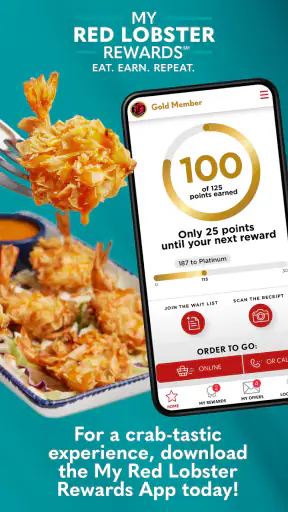
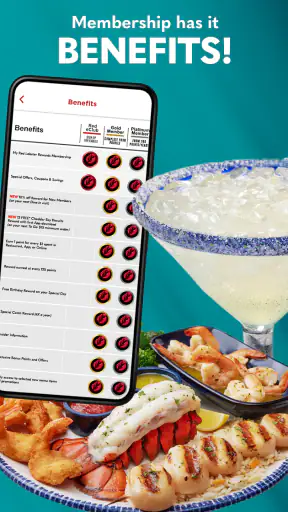
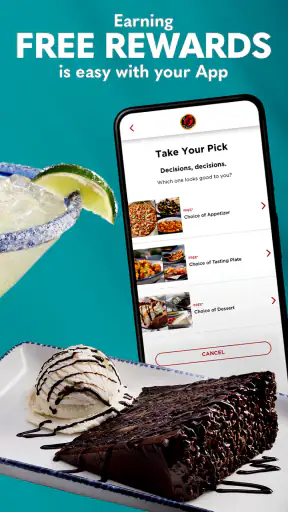
If I am deciding whether to install a restaurant rewards app, I want a simple answer to a practical question: will it make my next Red Lobster visit easier or more worthwhile, or will it just add another account to manage? After spending time with the Red Lobster Dining Rewards App, I see it as a focused loyalty tool rather than a complete restaurant-planning app. Its main purpose is to connect orders and dine-in visits with points that can be turned into food rewards, so its value depends heavily on how often Red Lobster is already part of your routine.
The app is free, aimed at Everyone, and belongs to the Food & Drink category. It comes from My Red Lobster Rewards and has been available since September 1, 2016. That history matters because this is not a brand-new experiment built around a temporary promotion. It has had time to settle into a straightforward rewards role, although the current version is 2.0.0, so the experience still feels like something worth checking carefully after installation rather than assuming every part will behave exactly like a full restaurant-ordering platform.
How I judged whether the rewards app is worth keeping
My first decision criterion was usefulness during a normal meal, not just the excitement of earning a bonus. A good loyalty app should help me understand what I have earned, make it reasonably clear how rewards are used, and avoid turning a quick dinner into a long account-management task. This app succeeds best when I already know I will order from Red Lobster and want the visit to count toward something.
The second criterion was flexibility. The store summary presents two important situations: ordering food and dining out at Red Lobster. That makes the app more relevant than a tool limited to one ordering channel. I would install it before a planned visit, not while standing at the restaurant entrance, because a few minutes spent signing in and becoming familiar with the rewards area can prevent confusion when the bill arrives or an order is being placed.
The third criterion was whether the app deserves space on my phone between visits. A loyalty app is easy to justify when I use the restaurant regularly. It is harder to justify if I only visit for a special occasion or choose restaurants based almost entirely on location and price. In that case, a general dining app, a payment app, or simply checking the restaurant’s current ordering options may be more useful than maintaining a dedicated rewards account.
I also looked at the scale of the product as a signal of public interest. The app has passed one million installs, with an average rating of 4.0 from roughly seventeen thousand ratings and about six thousand four hundred written reviews. Those figures suggest a substantial user base and a generally positive but not flawless reception. I would read that as reassurance that the basic idea is useful, not as proof that every individual experience will be smooth.
The strongest reason to use it: making repeat visits count
The clearest strength is its narrow focus. Instead of mixing restaurant discovery, recipes, delivery from many businesses, and unrelated promotions, it is built around Red Lobster rewards. That focus is valuable for someone who already has a favorite order or visits with family often. I can think about the meal first and let the app handle the loyalty side in the background, rather than manually tracking receipts or trying to remember whether a previous visit qualified.
There is also a useful psychological advantage to connecting both ordering and dining out with the same rewards goal. My routine may change from one visit to another: sometimes I might order ahead, while another time I might sit down for a meal. A program that recognizes both kinds of activity is easier to keep using than one that only fits a single occasion. The important practical habit is to check the app before completing the transaction, especially if I am unsure how the visit should be recorded or where the reward information is displayed.
For a realistic everyday example, imagine a family that visits Red Lobster every few weeks. One person usually handles the order, another pays during dine-in meals, and nobody wants to save paper receipts. With the app installed and the account ready, the family can treat those visits as part of one ongoing rewards routine. The benefit is not dramatic after one meal; it comes from avoiding missed credit over several occasions and having a visible reason to return to the same program.
Another non-obvious advantage is decision discipline. Restaurant loyalty can encourage me to notice how often I am choosing a place, rather than automatically downloading every coupon app I see. If Red Lobster is already one of my regular choices, this app gives that habit a dedicated home. If I am installing it only because a reward sounds attractive, I should first ask whether I will actually return often enough to use it.
How to use it without creating unnecessary friction
I recommend setting up the app before the meal, while I have time to read the account and rewards screens. I would also keep the login details available and avoid waiting until the final payment moment to investigate how points or rewards are shown. This is a small change in routine, but it matters: loyalty apps are most frustrating when a user expects them to work automatically without first checking the required steps.
My second tip is to treat the app as a record of the relationship with Red Lobster, not as a replacement for every other restaurant tool. I would still check the restaurant’s current ordering flow when I want to know what is available, and I would not assume that a rewards balance answers questions about menu choices, dietary needs, wait times, or delivery logistics. The app’s strength is the rewards connection; using it for unrelated decisions creates expectations it was not designed to meet.
A third useful habit is to review the reward area after a visit rather than relying on memory. If I have ordered food and later dined in, checking the account gives me a chance to notice whether the activity was reflected as expected and to understand what I can use next. This is especially helpful for households where more than one person might place an order or pay for a meal. I would keep the account arrangement consistent instead of scattering activity across several profiles.
The app is also a better fit for planned visits than spontaneous restaurant hopping. If I choose dinner based on whichever nearby place has the shortest wait, a single-brand rewards program may not influence my decision. If I plan meals around Red Lobster, however, the dedicated account becomes more practical. That distinction is easy to miss when looking only at the promise of rewards.
Where this app wins over broader dining alternatives
Compared with a general restaurant discovery app, this one has a more direct purpose. Discovery services are useful when I want to compare nearby restaurants, browse different cuisines, or decide where to go from scratch. They may be better for exploration, but they do not replace a brand-specific loyalty relationship. When my choice is already Red Lobster, a dedicated rewards app removes that extra layer of searching and keeps attention on the visits I actually make there.
Compared with a generic payment wallet, the advantage is context. A payment wallet may help me complete a transaction, but it is not necessarily where I expect to see Red Lobster rewards or manage the connection between ordering and dining out. I would use a wallet for payment convenience and this app for loyalty tracking. Those jobs overlap during a meal, but they are not the same job.
Compared with paper receipts or a manually maintained notes file, the app is more convenient for anyone who wants a branded rewards balance rather than a personal record. Manual tracking gives me control, but it also depends on remembering every visit and understanding what each receipt means. The dedicated app is preferable when I want the restaurant’s own reward system to organize the activity for me.
There is a trade-off in that specialization. A multi-restaurant rewards service may be better for someone who frequently changes where they eat and wants one place to manage several brands. Red Lobster’s app is not the natural choice for that person. Its value comes from depth within one restaurant relationship, not breadth across the entire dining market.
Limitations I would consider before installing
The biggest limitation is obvious but important: the app only becomes meaningful when Red Lobster is part of my dining pattern. A free download is not automatically a good download. If I rarely visit, the reward balance may not justify another sign-in, another notification source, or another app to remember when ordering.
I also would not confuse points with an immediate discount on every meal. Rewards programs usually work through accumulation and later redemption, so the benefit is delayed by design. That can be motivating for regular customers, but it may feel underwhelming to someone looking for instant savings. I would install it with the expectation of building toward future food rewards, not reducing the cost of the very next visit automatically.
Another point of friction is the need for consistent account use. If family members create separate accounts, switch between ordering methods, or forget to identify the rewards account, the personal value becomes harder to see. The app can support a routine, but it cannot repair a disorganized one. For a shared household, deciding in advance whose account will collect the activity is a simple step that can prevent unnecessary confusion.
The rating of 4.0 is encouraging, but it also tells me to keep expectations realistic. A four-star average is not the same as a universally effortless experience. Restaurant apps can be affected by account access, visit timing, ordering context, and individual expectations. I would give the app a fair trial around one or two normal Red Lobster visits before deciding whether it deserves permanent space on my phone.
The real cost of switching from another routine
Switching to this app is inexpensive in money because it is free, but the real cost is behavioral. I have to create or use an account, remember to connect visits with the program, and check rewards when I am ready to redeem them. That is not a major burden, yet it is enough to make the app unnecessary for someone who dislikes loyalty programs on principle.
The switch is easier if I am moving away from paper receipts or from forgetting rewards entirely. In that situation, the app replaces a weak system with a more structured one. The switch is less attractive if I already use a broad rewards service that covers most of my favorite restaurants and I rarely eat at Red Lobster. Adding a single-brand program may fragment my routine rather than improve it.
I would also consider how I order. Someone who alternates between dine-in meals and food orders has a stronger reason to test the app because the rewards concept fits both parts of that routine. Someone who never orders food and only visits occasionally may see less benefit. The right choice is not about collecting the most apps; it is about matching this one to the way I actually eat.
Because the current version is 2.0.0 and the minimum operating system is Android 7.0 or later, compatibility is another practical checkpoint for Android users. On a supported phone, I would still update the app when updates are offered and keep the operating system reasonably current. For iPhone users, I would check the applicable App Store requirements before installing, since device compatibility can vary by platform.
Who should choose it, and who should skip it
I would recommend it to regular Red Lobster customers, households that want one person to manage recurring rewards activity, and people who order there as well as dine in. It is especially sensible for someone who already knows the restaurant will remain part of their routine. In those cases, the app turns an existing habit into a more organized rewards process without asking me to compare a large number of unrelated services.
I would be more cautious for occasional visitors, travelers who choose restaurants spontaneously, and users who want one app to compare every dining option nearby. Those people may get more from a general restaurant discovery or multi-brand rewards alternative. I would also skip it if I strongly prefer not to create brand-specific accounts and do not expect the restaurant’s rewards to change my behavior.
My final recommendation is therefore conditional but positive: install it if Red Lobster is a repeat choice, and use it consistently across the kinds of visits you already make. Do not install it merely because a rewards app sounds useful in theory. In my experience, the app earns its place when it quietly supports a real dining pattern, not when it tries to persuade me to invent one.
My bottom line: this is a focused, free Food & Drink app with a clear purpose and a substantial user base. It is not the best replacement for restaurant discovery, universal payment tools, or multi-brand loyalty services, but it can be the most sensible option for Red Lobster regulars who want orders and dine-in visits connected to future food rewards. I would give it a try before a planned visit, establish one consistent account routine, and keep it only if the rewards fit the way I genuinely eat.


